
SAP Business One: Feature Packs: What Are They
For:
Continuous Innovation for SAP Business One
SAP Business One continues to evolve. Rather than waiting for major new versions to introduce new functionality, SAP Business One Version 10 uses Feature Packages to progressively deliver innovation and new capabilities to customers.
These updates have progressively expanded functionality across the Web Client, finance, sales, purchasing, inventory, production, reporting, project management, platform capabilities and integrations.
Importantly, Feature Packages are also helping shape the path from SAP Business One Version 10 towards Version 11.
Why SAP Business One Feature Packages Matter
Feature Packages allow SAP Business One to evolve continuously, giving customers access to meaningful functional and technology improvements without waiting for the next major product generation.
Access New Functionality
Feature Packages progressively introduce new and enhanced SAP Business One capabilities. Keeping your environment reasonably current means your business can evaluate and adopt functionality that may improve existing processes rather than remaining tied to the capabilities available when your system was originally implemented.
An Expanding Web Client
One of the clearest areas of investment has been the SAP Business One Web Client. Successive Feature Packages have brought more everyday business processes into the modern browser-based experience, allowing organisations to progressively introduce users to new ways of working.
Modernise Your Environment
Regular review of Feature Packages provides an opportunity to look beyond the update itself. It allows businesses to review older customisations, add-ons, integrations and processes and consider whether they are still required or whether newer standard SAP Business One functionality provides a better approach.
Prepare for What Comes Next
Keeping SAP Business One reasonably current can make future planning easier. Rather than allowing versions, infrastructure and customisations to fall progressively behind, organisations can address technical and functional changes as part of an ongoing roadmap.
A Cumulative Approach to Innovation
SAP Business One Feature Packages are cumulative. This means each Feature Package builds on the capabilities delivered previously, progressively moving the SAP Business One Version 10 platform forward. For customers, the objective should not necessarily be to implement every Feature Package as soon as it is released, but to maintain a sensible upgrade strategy that keeps the environment supported, current and aligned with the future direction of SAP Business One.
Feature Packages and the Journey to SAP Business One Version 11
As SAP Business One continues to evolve, Feature Packages provide customers with an opportunity to progressively prepare their environments for the next major generation of the solution.
For organisations running SAP Business One Version 10, this is a good time to consider more than simply which version is currently installed. Version 11 readiness should include reviewing:
- Your current SAP Business One version and update level
- Server, database and infrastructure requirements
- Existing add-ons and extensions
- Third-party and bespoke integrations
- Legacy customisations
- Processes that remain dependent on the desktop client
- Opportunities to introduce more users to the Web Client
- New capabilities that could replace older customised processes
The goal is not simply to perform an upgrade. It is to make sure your SAP Business One environment is ready for where the platform is going.
Explore the Latest SAP Business One Feature Package Updates
Explore our summaries of the latest SAP Business One Feature Packages and the new functionality available to customers.
SAP Business One 10.0 FP 2608
FP 2608 represents a significant expansion of the SAP Business One Web Client, with new capabilities across sales, purchasing, inventory, finance, banking, reporting and project management, together with emerging AI capabilities. It also provides an important opportunity for Version 10 customers to begin preparing for SAP Business One Version 11.
SAP Business One 10.0 FP 2602
Explore the functionality introduced with SAP Business One FP 2602, including continued Web Client development and enhancements across key SAP Business One business processes.
Is Your SAP Business One Environment Ready for Version 11?
The Cloud Factory SAP Business One team can review your current environment, Feature Package level, infrastructure, integrations, add-ons and customisations and help establish a practical roadmap towards SAP Business One Version 11.
Talk to Our SAP Business One Team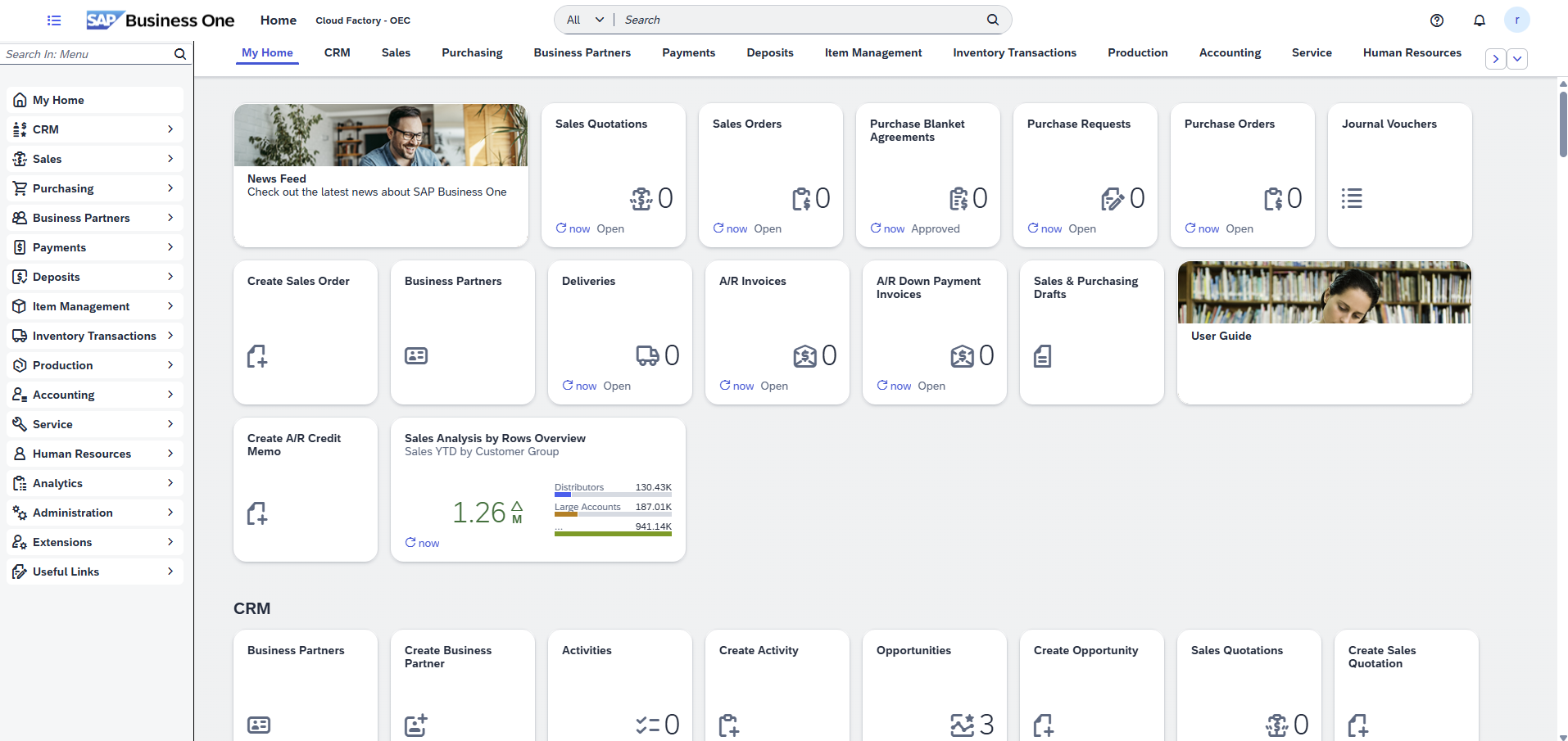
What these Web Client updates mean in practice
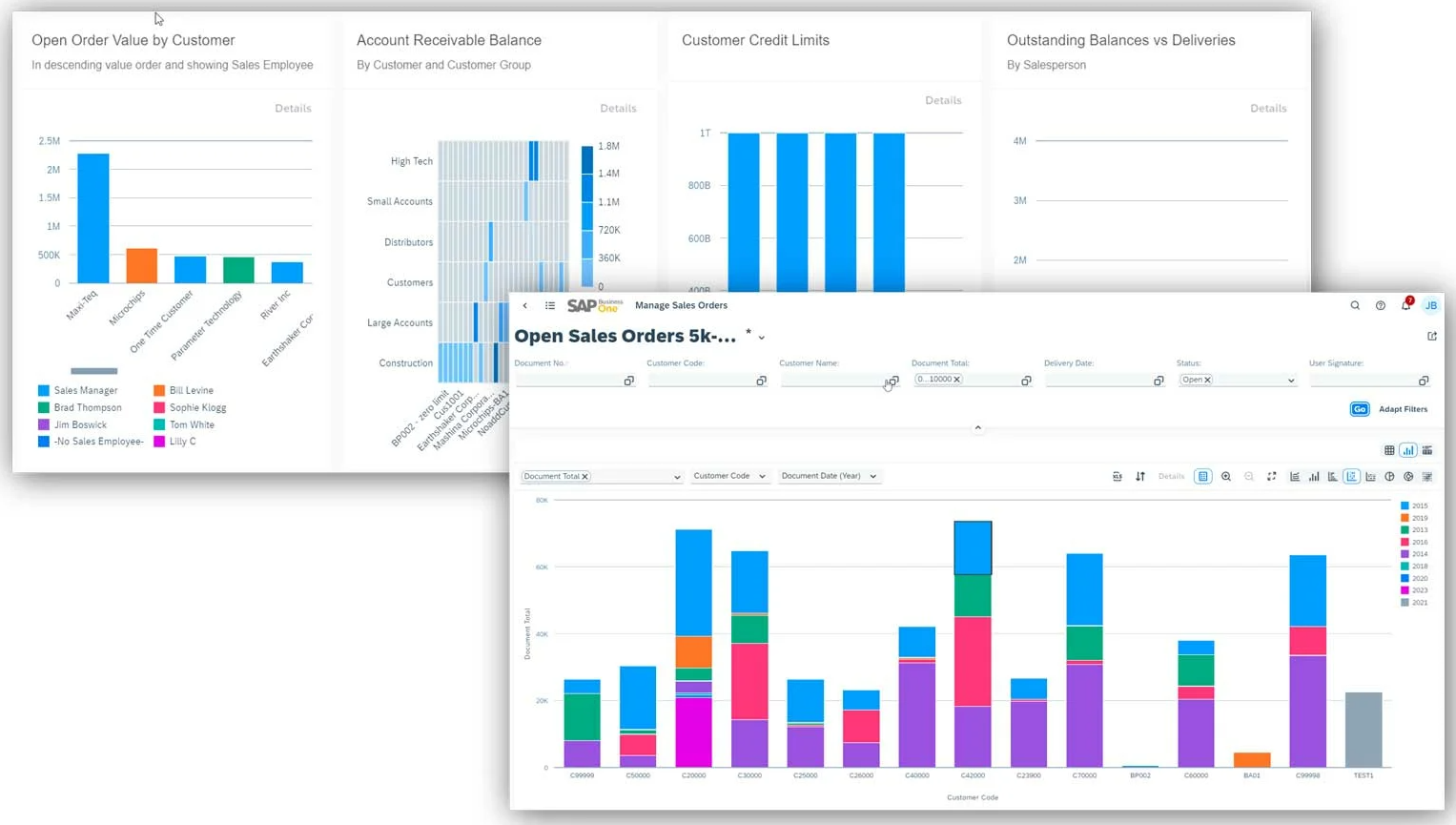
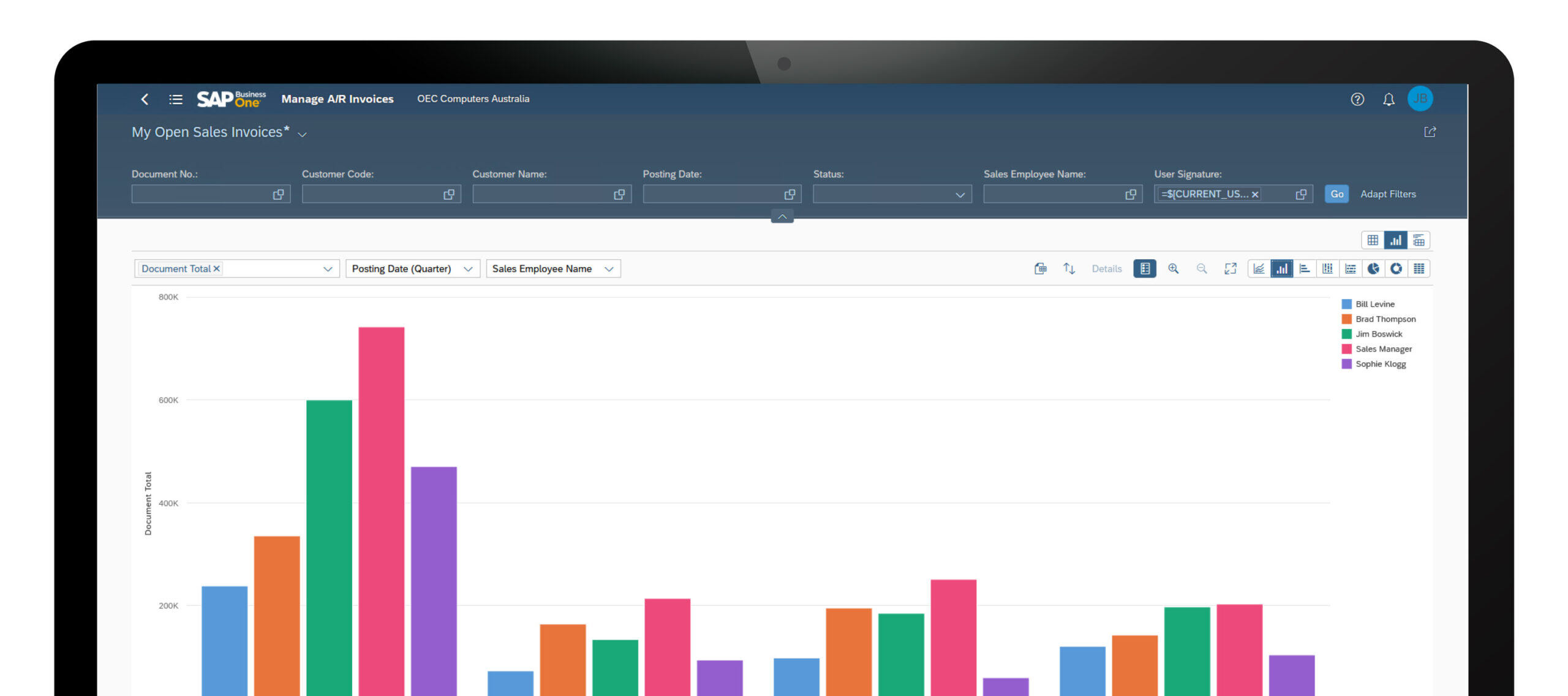
While many of these SAP Business One Web Client updates appear incremental on their own, collectively they represent a meaningful shift in how organisations can use the platform day-to-day. The Web Client is no longer limited to lightweight access or reporting — it is increasingly capable of supporting operational, financial and administrative workflows directly in the browser.
For manufacturing and distribution businesses, the expansion of production, inventory and available-to-promise capabilities is particularly important. Teams can now manage more of the planning, execution and fulfilment process without switching between environments, improving visibility and reducing friction across operations.
From a finance and administration perspective, improvements to Excel-based imports, document handling and configuration simplify data management and reduce reliance on manual processes. These enhancements also make it easier to onboard users who expect a modern, browser-based ERP experience.
As SAP continues to invest in the Web Client, organisations reviewing SAP Business One should consider how these capabilities align with their user experience strategy, remote access requirements and long-term approach to ERP adoption.
SAP Business One Functional Updates by Area
Administration
Administration updates focus on improving usability, control and system navigation. Enhancements include better document navigation, improved display handling for large datasets, more granular authorisation options and a modernised interface optimised for high-resolution displays. These changes help administrators manage environments more efficiently while improving the overall user experience.
Financial Management
Updates in financial management are primarily driven by electronic invoicing and regulatory changes in overseas jurisdictions. For Australian clients who are supporting overseas operations please refer to CloudFactory.co SAP support for a review.
Sales, Purchasing and Service
Enhancements across sales and purchasing improve pricing control, document handling and workflow consistency. Updates include more flexible price list management, improved handling of draft and base documents, better control over landed costs and enhanced processing for equipment and service-related data. These changes support smoother transaction flows and improved operational accuracy across customer and supplier processes.
Inventory and Logistics
Inventory updates focus on improving data consistency and control across item management and bills of materials. Users now have greater flexibility when updating item descriptions and can ensure changes are reflected across related structures such as BOMs. These enhancements help maintain data accuracy across inventory and production processes.
Cross Module Functionality
Cross-module enhancements improve usability and day-to-day efficiency. The ability to add attachments via drag-and-drop streamlines document management, while audit trail improvements enhance visibility and control over system changes. These updates provide practical benefits across multiple areas of the system.
Business Partners
Updates to business partner management improve communication and data control. Enhancements include new email activity capabilities, expanded recipient handling and improved address management with better control over active and editable records. These changes support more structured customer and supplier data management.
Platform and Extensibility
Platform updates enhance flexibility and system extensibility. Improvements include better management of user-defined fields, enhanced electronic file handling and additional configuration capabilities for multi-branch environments. These updates support more tailored system design and integration flexibility.

Are you getting the most from SAP Business One?
With ongoing enhancements across the Web Client, production, inventory and financial processes, many businesses are not fully leveraging what SAP Business One now offers. Cloud Factory can help you review your current system, identify quick wins and align your ERP to how your business operates today.
Book Your Complimentary SAP ReviewExplore the Full SAP Business One Platform
SAP Business One connects finance, sales, purchasing, inventory, production and customer management within a single, integrated ERP platform. While recent updates continue to enhance functionality, the broader platform provides the depth, control and flexibility required to support growing Australian businesses.
Explore key functional areas below, or view the full SAP Business One platform overview.
Together, these capabilities provide a unified view of financial performance, operational activity, inventory, production and customer engagement — helping organisations improve visibility, control and decision-making across the business.