
SAP Business One 2026: 2602 Release: What it Means
Across:
SAP Business One Web Client Updates
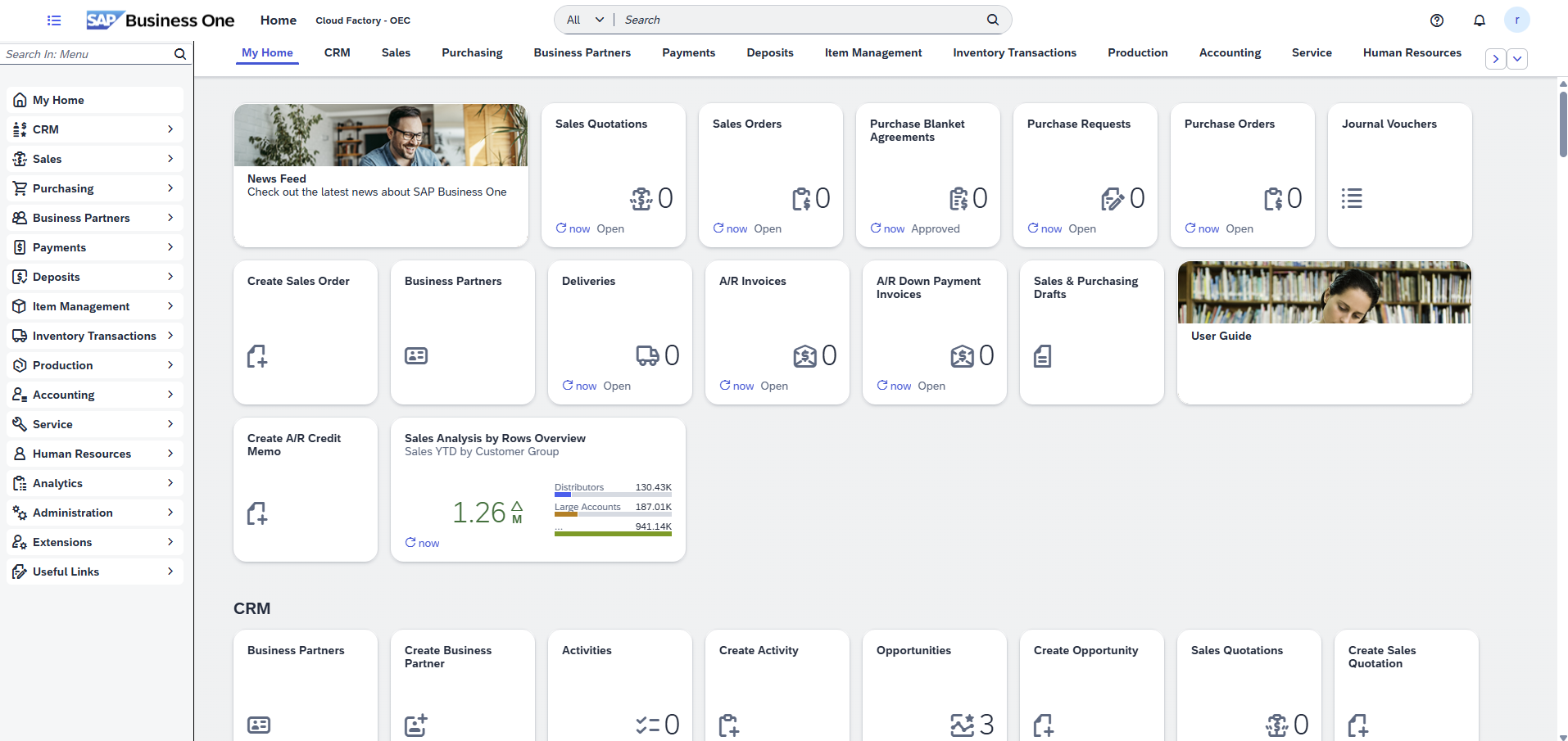
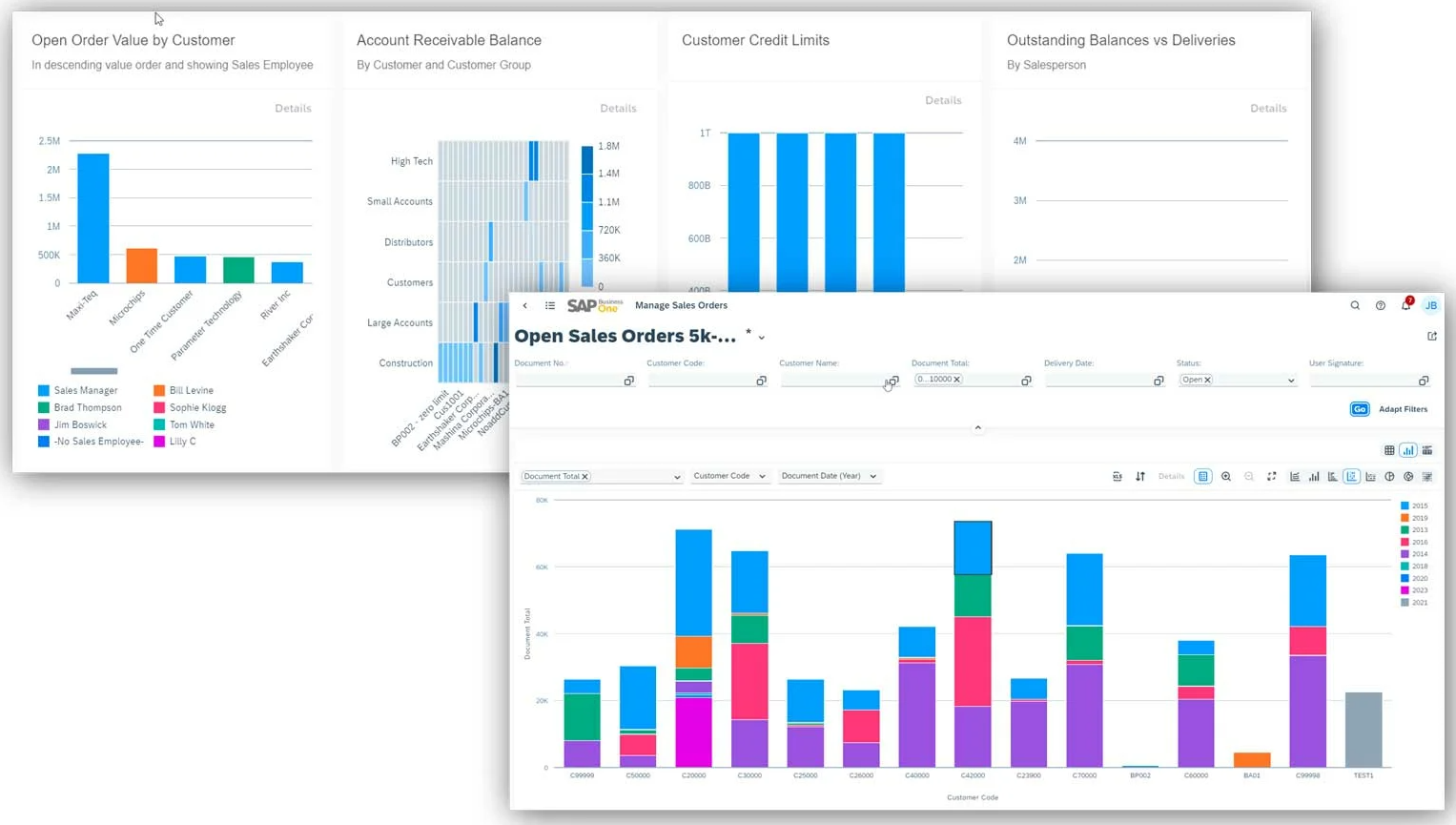
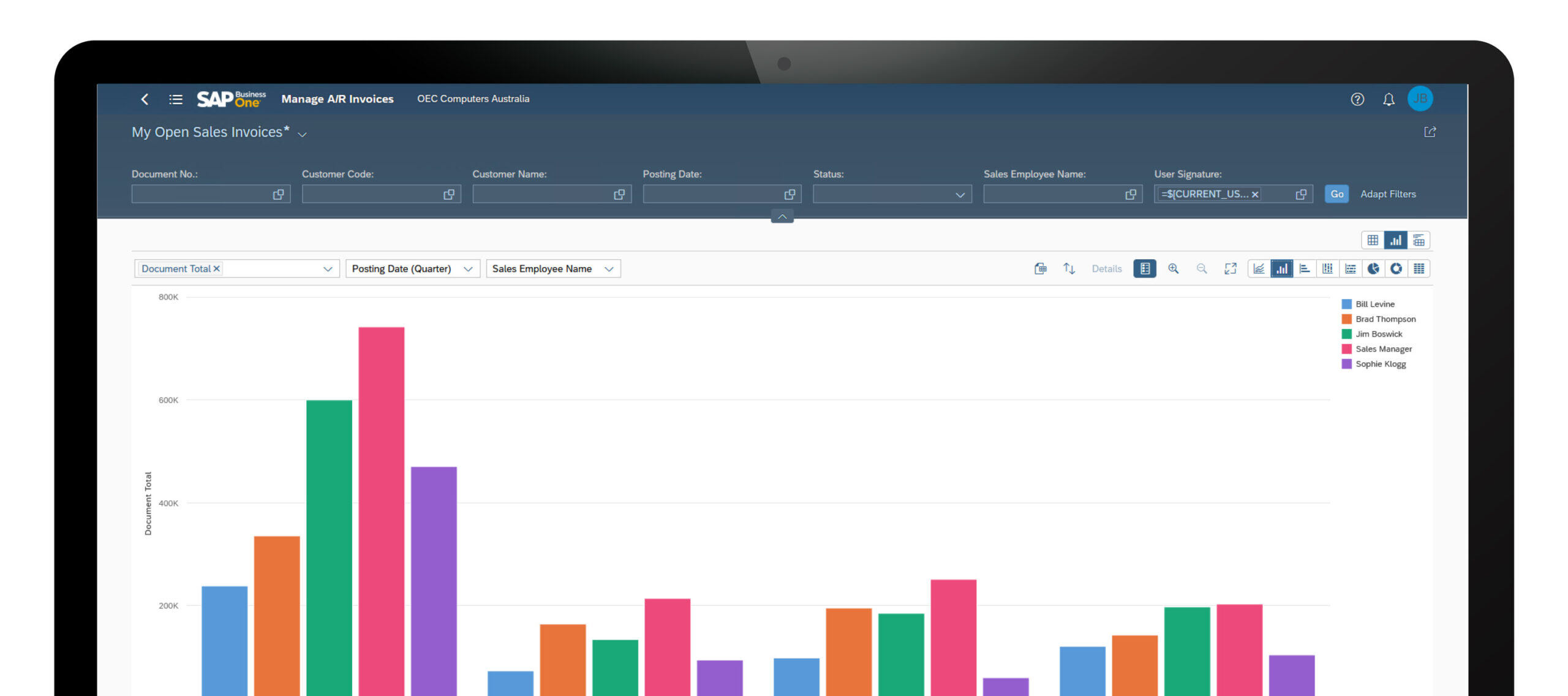
SAP continues to expand the SAP Business One Web Client into a more capable and practical working environment, with broader browser-based support across production, inventory, sales, purchasing, reporting and administration. For Australian businesses, the latest updates reinforce the Web Client as an increasingly important way to access ERP functionality with greater flexibility, improved usability and less dependence on the traditional desktop client.
Production and planning
The Web Client now supports a broader range of production and planning processes, including resource management, route stages, production orders, issues for production, receipts from production and bills of materials. This expands browser-based capability for manufacturing and operational teams.
Inventory and fulfilment visibility
Enhancements such as available-to-promise reporting and additional inventory transaction apps improve stock visibility, item availability checks and transaction processing. This helps users respond faster to fulfilment, warehouse and customer service requirements.
Sales and purchasing workflows
SAP has expanded Web Client support for document generation, blanket agreements, correction documents, draft handling and price list management. These updates improve workflow continuity across quoting, purchasing, transaction processing and document control.
Import and administration
Expanded Microsoft Excel import options for journal entries, batches, serial numbers, business partners and items make the Web Client more practical for administration and data management. This supports efficiency while reducing manual handling across core ERP processes.
Usability and navigation
Improvements to attachments, notifications, process maps, list views, filtering and configuration help make the Web Client easier to navigate and more useful in day-to-day work. These changes support stronger user adoption across departments and roles.
What it means for Australian organisations
For Australian businesses reviewing SAP Business One usability, remote access and browser-based ERP adoption, the Web Client now represents a more capable front-end for finance, operations and administration. It is increasingly relevant for organisations looking to modernise how users engage with ERP.
What these Web Client updates mean in practice
While many of these SAP Business One Web Client updates appear incremental on their own, collectively they represent a meaningful shift in how organisations can use the platform day-to-day. The Web Client is no longer limited to lightweight access or reporting — it is increasingly capable of supporting operational, financial and administrative workflows directly in the browser.
For manufacturing and distribution businesses, the expansion of production, inventory and available-to-promise capabilities is particularly important. Teams can now manage more of the planning, execution and fulfilment process without switching between environments, improving visibility and reducing friction across operations.
From a finance and administration perspective, improvements to Excel-based imports, document handling and configuration simplify data management and reduce reliance on manual processes. These enhancements also make it easier to onboard users who expect a modern, browser-based ERP experience.
As SAP continues to invest in the Web Client, organisations reviewing SAP Business One should consider how these capabilities align with their user experience strategy, remote access requirements and long-term approach to ERP adoption.
SAP Business One Functional Updates by Area
Administration
Administration updates focus on improving usability, control and system navigation. Enhancements include better document navigation, improved display handling for large datasets, more granular authorisation options and a modernised interface optimised for high-resolution displays. These changes help administrators manage environments more efficiently while improving the overall user experience.
Financial Management
Updates in financial management are primarily driven by electronic invoicing and regulatory changes in overseas jurisdictions. For Australian clients who are supporting overseas operations please refer to CloudFactory.co SAP support for a review.
Sales, Purchasing and Service
Enhancements across sales and purchasing improve pricing control, document handling and workflow consistency. Updates include more flexible price list management, improved handling of draft and base documents, better control over landed costs and enhanced processing for equipment and service-related data. These changes support smoother transaction flows and improved operational accuracy across customer and supplier processes.
Inventory and Logistics
Inventory updates focus on improving data consistency and control across item management and bills of materials. Users now have greater flexibility when updating item descriptions and can ensure changes are reflected across related structures such as BOMs. These enhancements help maintain data accuracy across inventory and production processes.
Cross Module Functionality
Cross-module enhancements improve usability and day-to-day efficiency. The ability to add attachments via drag-and-drop streamlines document management, while audit trail improvements enhance visibility and control over system changes. These updates provide practical benefits across multiple areas of the system.
Business Partners
Updates to business partner management improve communication and data control. Enhancements include new email activity capabilities, expanded recipient handling and improved address management with better control over active and editable records. These changes support more structured customer and supplier data management.
Platform and Extensibility
Platform updates enhance flexibility and system extensibility. Improvements include better management of user-defined fields, enhanced electronic file handling and additional configuration capabilities for multi-branch environments. These updates support more tailored system design and integration flexibility.

Are you getting the most from SAP Business One?
With ongoing enhancements across the Web Client, production, inventory and financial processes, many businesses are not fully leveraging what SAP Business One now offers. Cloud Factory can help you review your current system, identify quick wins and align your ERP to how your business operates today.
Book Your Complimentary SAP ReviewExplore the Full SAP Business One Platform
SAP Business One connects finance, sales, purchasing, inventory, production and customer management within a single, integrated ERP platform. While recent updates continue to enhance functionality, the broader platform provides the depth, control and flexibility required to support growing Australian businesses.
Explore key functional areas below, or view the full SAP Business One platform overview.
Together, these capabilities provide a unified view of financial performance, operational activity, inventory, production and customer engagement — helping organisations improve visibility, control and decision-making across the business.