
Finance & Accounting with SAP Business One
SAP Business One Financial Management
SAP Business One provides a complete financial management solution designed for growing businesses. Finance teams can manage accounting, cash flow, banking and financial reporting from a single integrated ERP platform.
Because SAP Business One connects finance with sales, purchasing and inventory, financial transactions are automatically posted in real time, ensuring accurate reporting and strong financial control.
Core Accounting & Financial Control
SAP Business One provides a complete accounting framework designed to automate everyday financial operations while maintaining strong financial governance.
Finance teams can manage the general ledger, journal entries, accounts payable and accounts receivable within a single integrated system. Transactions generated across purchasing, sales and inventory automatically create accounting postings in real time, ensuring financial data is always accurate and up to date.
Typical capabilities include:
- General ledger and chart of accounts
- Journal entries and recurring postings
- Accounts receivable and accounts payable
- Multi-currency accounting
- Automated tax calculations and compliance
Banking, Payments & Reconciliation
SAP Business One includes integrated banking functionality that helps organisations manage payments, reconcile bank accounts and maintain accurate cash records.
Finance teams can process incoming and outgoing payments through multiple methods including bank transfers, credit cards, cash and cheque payments, while automatically reconciling bank statements with ledger transactions.
Capabilities include:
- Incoming and outgoing payment processing
- Bank statement import and reconciliation
- Cash flow monitoring
- Payment scheduling and approvals
- Credit management and customer payment tracking
Financial Reporting & Real-Time Insights
SAP Business One provides powerful financial reporting tools that give executives real-time visibility into business performance.
Standard reports such as balance sheets, profit and loss statements, trial balances and cash flow reports are generated directly from live financial data, eliminating manual consolidation and spreadsheet manipulation.
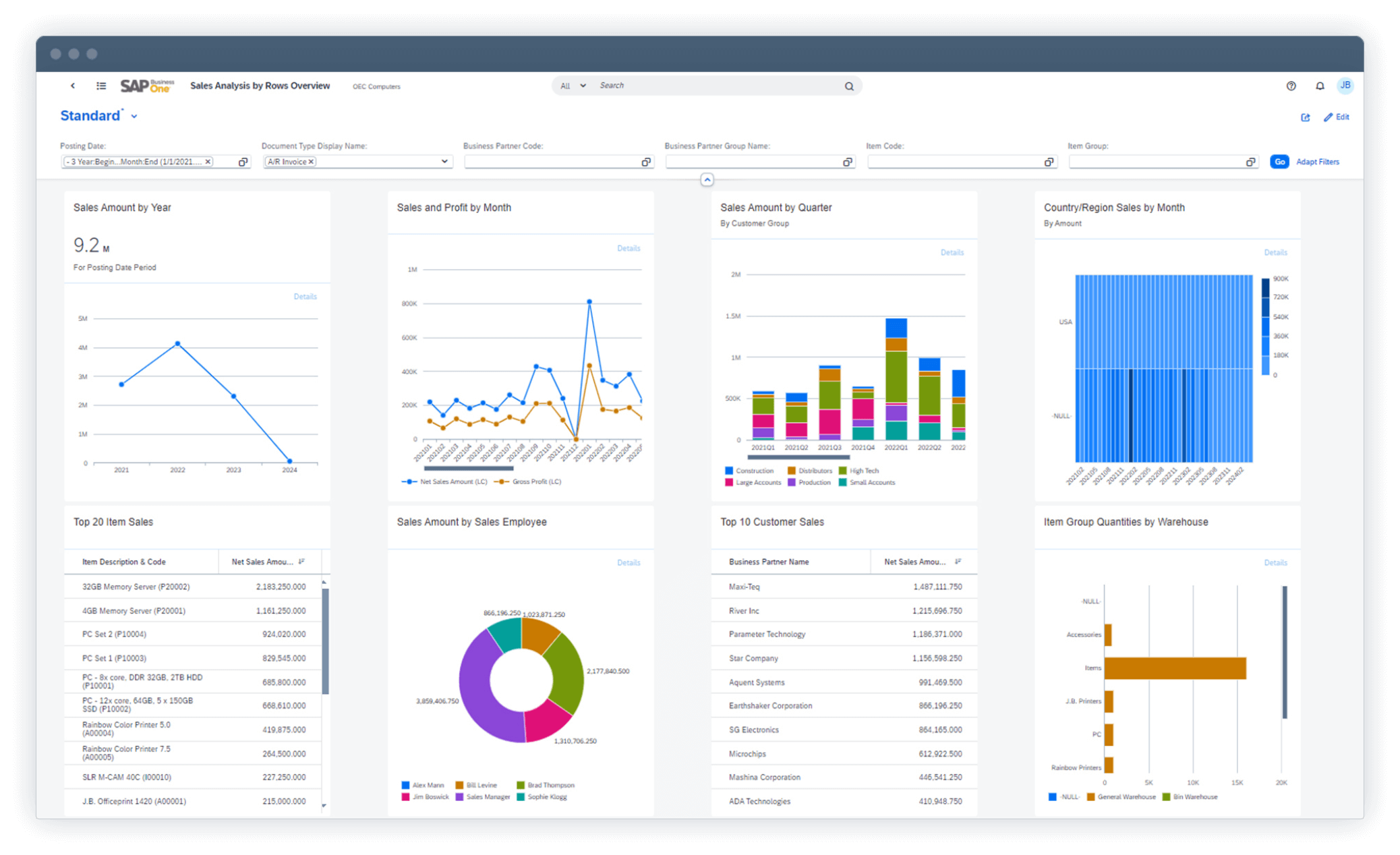
Finance teams can also build customised dashboards and analytics to monitor key financial indicators across the organisation.
Capabilities include:
- Profit & loss reporting
- Balance sheet reporting
- Cash flow analysis
- Multi-period comparisons
- Custom financial dashboards
Budgeting, Cost Accounting & Financial Planning
SAP Business One supports structured budgeting and financial planning processes so organisations can monitor performance against targets.
Finance teams can create budgets for departments, projects or cost centres and track actual financial results against those plans throughout the financial year.
Capabilities include:
- Budget creation and financial planning
- Cost centre accounting
- Expense allocation and project costing
- Variance analysis between budget and actual results
- Financial forecasting
Fixed Asset Management
SAP Business One includes built-in tools to manage the entire lifecycle of company assets.
Finance teams can track asset acquisitions, calculate depreciation, and generate financial reports that reflect the value and performance of fixed assets across the organisation.
Capabilities include:
- Asset acquisition and capitalisation
- Depreciation calculations
- Asset lifecycle tracking
- Asset revaluation and reporting
- Integration with the general ledger
Integrated Financial Management Across the ERP
Unlike standalone accounting systems, SAP Business One connects financial management directly with operational processes including purchasing, inventory, manufacturing and sales.
This integration ensures financial data is always aligned with business activity, providing accurate reporting and stronger financial control across the organisation.
Related SAP Business One Capabilities
Explore other capabilities of the SAP Business One ERP platform:
General Ledger
The SAP Business One General Ledger handles all of your financial transactions – including general ledger journal entries, budgeting, and account setup and maintenance – in one system, with comprehensive tools and reports.
Recurring Postings
SAP Business One allows you to define your own postings for regular execution in accounting and to specify a frequency and general ledger distribution for each recurring posting.
Budgets
In SAP Business One you can define and manage budgets on existing accounts to compare actual and planned figures. SAP Business One alerts you whenever a transaction exceeds a monthly or annual budget limit.
Journal Entries
SAP Business One Journal entries are posted real-time from the sub-ledgers i.e. sales, purchasing, and banking function’s whilst also allowing you to create new journal entries and search for existing ones.
Reversing Journal
SAP Business One reversals of specified postings can occur on the first day of the following calendar month, but you can specify a different reversing date for each posting.
Distribution Rules
SAP Business One General Ledger Determination rules are particularly powerful. You can define different cost centres or departments and allocate the revenue and cost accounts to a predefined profit centre in the chart of accounts. Thereby reducing the chart and providing Advanced GL reporting capability.
Journal Voucher
In SAP Business One one can use journal vouchers as a temporary storage facility for journal entries that cannot yet be posted to the specific SAP Business One company database. Once you have checked and approved the journal voucher content, you save it to SAP Business One. It is then reflected in the Financials.
Posting Templates
You can define general ledger account assignment models, saving time and avoiding mistakes during the manual posting of journal entries.
Exchange Rate Differences
In SAP Business One you can maintain foreign currency (FC) business partners and/or accounts, SAP Business One conducts all related bookkeeping in foreign currency. As our clients will also be conducting in local currency (LC), SAP Business One expresses every FC transaction in LC according to the FC exchange rate on the date of transaction. Daily fluctuations in FC exchange rates may cause mismatches between the balances in LC and FC.
The Exchange Rate Differences function periodically recalculates the LC and FC balances according to the exchange rate on the day the differences are calculated.
SAP Business One provides recommendations for executing automatic journal transactions for exchange rate differences in FC business partners and accounts, correct to a given date. The Exchange Rate Differences function reconciles the FC card balance and the LC balance, considering the fluctuation in the FC exchange rate.
Financial Report Templates
This SAP Business One function allows you to create unlimited financial report templates that you can customise for your business needs. Users can create templates for the following reports:
Balance Sheet - Profit and Loss Statement - Trial Balance -
Cash Flow - FA Historic Report
Profit Centre Report
This SAP Business One report provides comprehensive information about expenses and revenues that are credited to or debited from cost centers. Users can use the report to analyse the financial situation of cost centers (dimensions) in detail. Authorisation is required for viewing this report.
Accounting
Generate the high-quality results required by international and local financial reporting standards.
Period End
Streamline the collection and consolidation of data for management and regulatory reporting.
Financial Close Governance
Put controls in place to make sure financial master data is managed consistently and across all of the applications.
Reporting & Disclosure
Use SAP Business One to enable all required reports and disclosures in less time at a lower cost.


