
SAP Business One 2026: 2608 Release: What it Means
Across:
SAP Business One 10.0 FP 2608
SAP has officially released SAP Business One 10.0 Feature Package 2608, and this is a particularly important release for all customers as we look ahead to the next generation of SAP Business One, Version 11.
FP 2608 provides a very clear indication of where the solution is heading as SAP continues the journey toward SAP Business One Version 11.
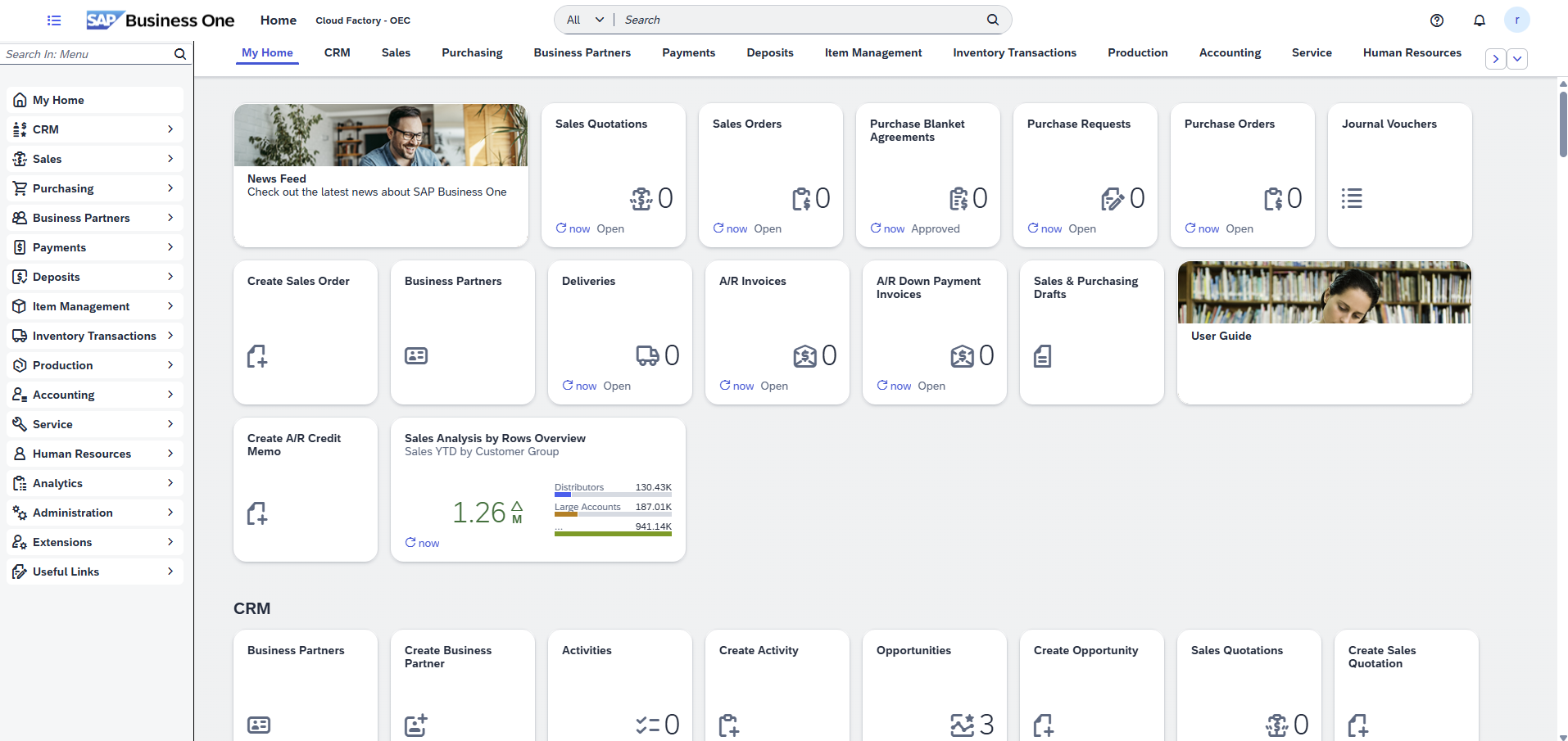
The biggest story is the Web Client.
FP 2608 delivers the largest incremental expansion of Web Client functionality to date, bringing considerably more of the everyday SAP Business One experience into the modern browser-based environment. For customers, this makes FP 2608 more than simply another upgrade. It is an opportunity to start preparing users, processes and environments for the direction SAP Business One is taking.
A Much More Capable Web Client
FP 2608 substantially expands the processes that can now be managed through the Web Client.
Sales, Purchasing, Inventory & Logistics
New and enhanced capabilities include:
- Purchase Quotation Generation Wizard
- Dunning Wizard
- Pick & Pack Manager and Pick Lists
- Advanced pricing management
- Material Requirements Planning (MRP)
- Inventory Revaluation
- Expanded item planning and inventory functionality
Finance & Banking
Finance receives another significant expansion, including:
- Internal reconciliation for Business Partners and G/L accounts
- Payment Run management
- Checks for Payment
- External bank reconciliation
- Additional banking applications
Reporting & Analytics
FP 2608 introduces and expands browser-based reporting including:
- General Ledger reporting
- Purchase Analysis
- Inventory Movement reporting
- Profit & Loss reporting
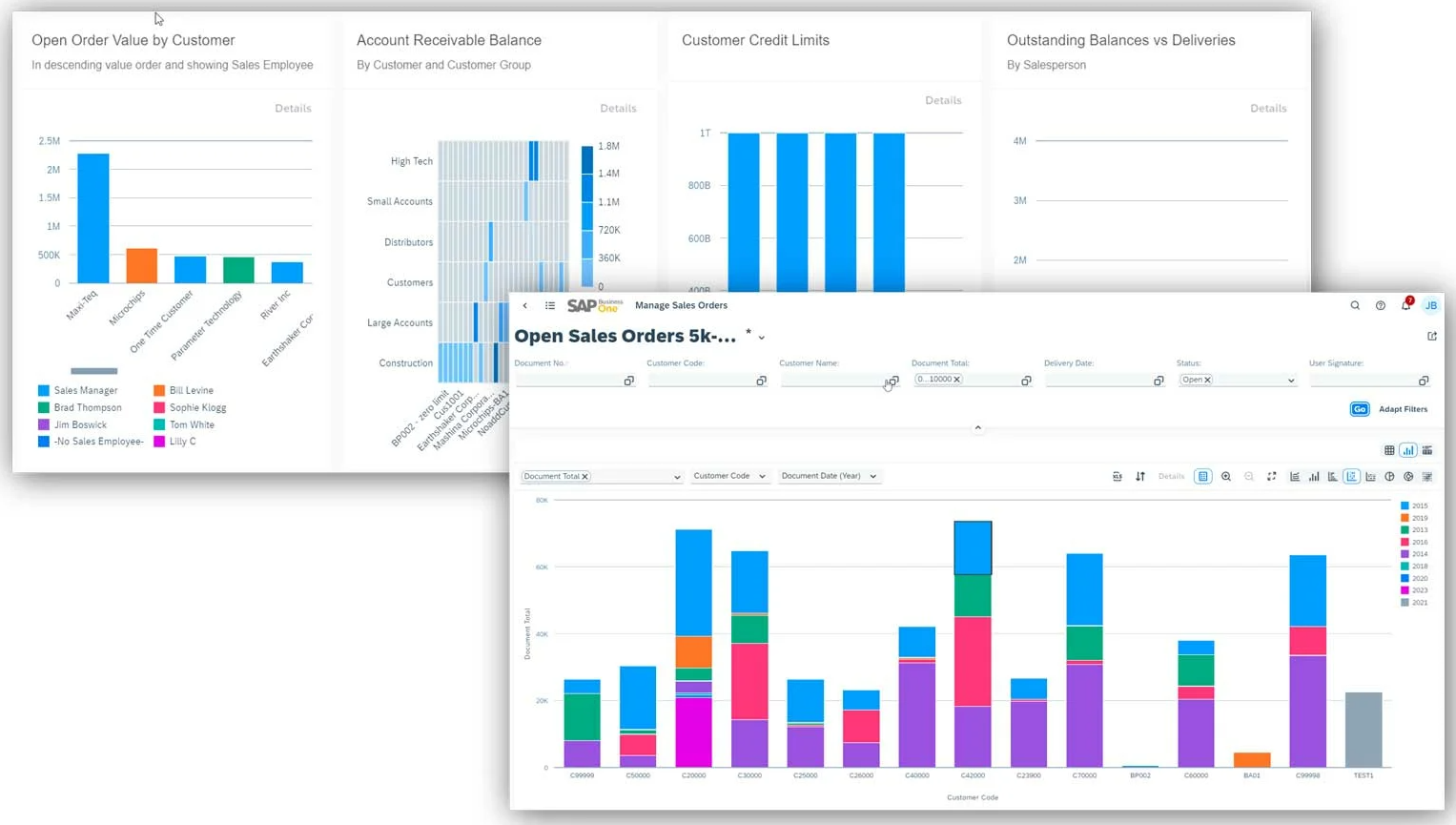
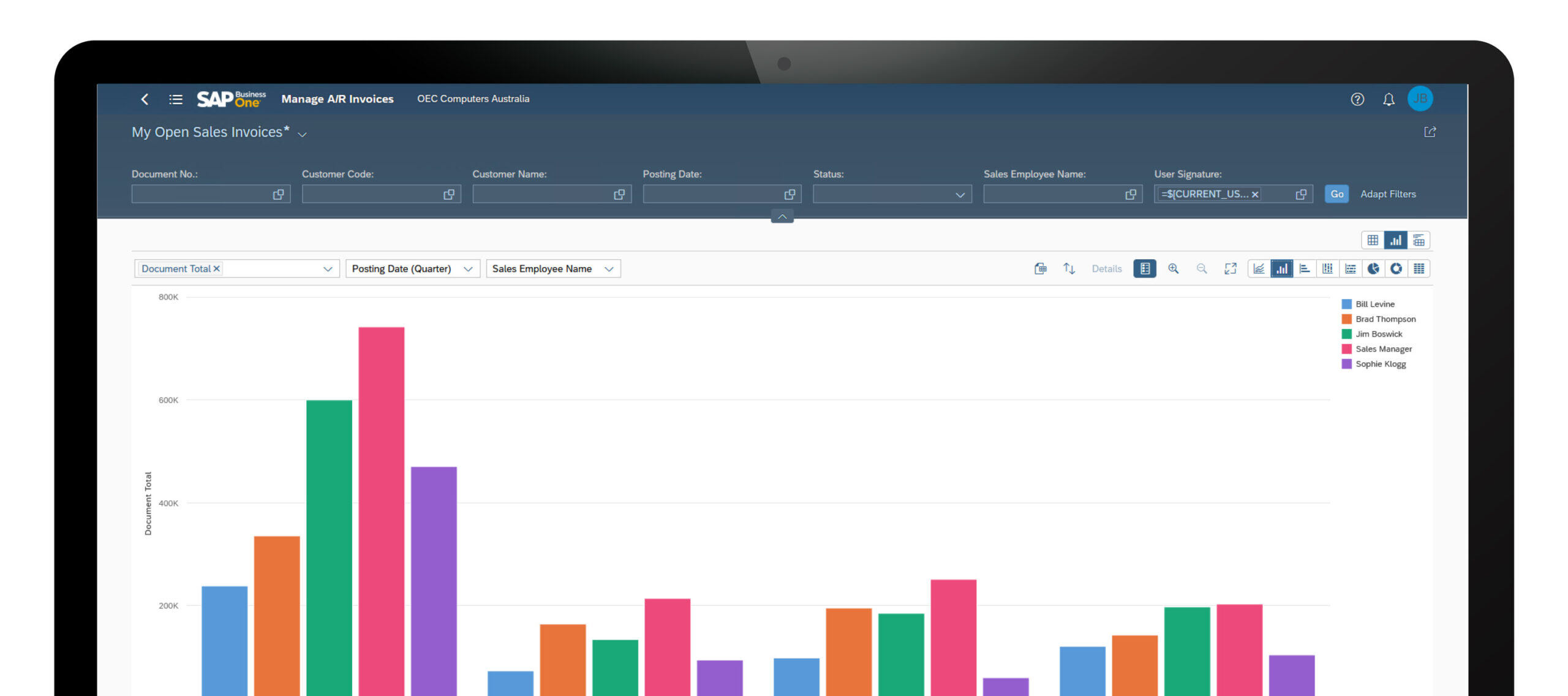
- Enhanced analytics and interactive list views
Project Management
A significant new Project Management area introduces Web Client applications for:
- Project Management
- Project creation
- Stage Analysis
- Open Issues
- Project Resources
- Project Management Time Sheets
This represents another important area of traditional SAP Business One functionality moving into the Web Client experience.
AI Becomes Part of SAP Business One
FP 2608 also introduces an important new dimension: AI embedded into everyday SAP Business One processes.
Ask AI
Ask AI allows users to ask context-aware questions based on the business information they are viewing.
AI-Assisted Queries
SAP has also introduced AI-assisted User-Defined Queries, allowing users to describe the information they require using natural language and use AI to assist in creating the underlying query and analytical dataset.
Alongside this, SAP continues to expand the platform and extensibility capabilities available to partners and developers, providing further foundations for AI-enabled and agentic solutions around SAP Business One.
So Why Does FP 2608 Matter for Version 11?
For us, this is perhaps the most important part of the release.
SAP Business One Version 10 customers should increasingly be thinking about their readiness for Version 11, rather than treating each Feature Package simply as another collection of enhancements.
FP 2608 provides an excellent opportunity to begin that preparation. It allows organisations to:
- Introduce more users to the Web Client now
- Review which existing desktop processes can move to the browser
- Identify legacy customisations and add-ons that may need reconsideration
- Review integrations and extensions
- Familiarise users with SAP’s evolving user experience
- Begin evaluating the role of AI within SAP Business One
- Reduce reliance on older processes and customisations ahead of the next major generation
The traditional SAP Business One desktop client remains important for some advanced and administrative functionality, and FP 2608 does not yet make the two clients completely interchangeable.
However, the direction is increasingly clear. The Web Client is evolving from a complementary interface into a comprehensive SAP Business One working environment.
Our Recommendation: Start Preparing Now
For existing SAP Business One customers, we see FP 2608 as an ideal point to begin a broader Version 11 readiness conversation.
That doesn’t necessarily mean upgrading immediately.
It means understanding where your current SAP Business One environment sits today — your version, infrastructure, add-ons, integrations, customisations and reliance on desktop-only functionality — and establishing what should be addressed before the next major generation of SAP Business One.
The Cloud Factory SAP Business One team can review FP 2608 with you and undertake a Version 11 readiness assessment of your existing environment.
We can help identify which new Web Client capabilities are relevant today, where existing processes can begin transitioning to the Web Client, and what technical or functional work should be considered as part of your future SAP Business One roadmap.
If you are running SAP Business One Version 10, now is a very good time to start the conversation about getting ready for Version 11.
What these Web Client updates mean in practice
While many of these SAP Business One Web Client updates appear incremental on their own, collectively they represent a meaningful shift in how organisations can use the platform day-to-day. The Web Client is no longer limited to lightweight access or reporting — it is increasingly capable of supporting operational, financial and administrative workflows directly in the browser.
For manufacturing and distribution businesses, the expansion of production, inventory and available-to-promise capabilities is particularly important. Teams can now manage more of the planning, execution and fulfilment process without switching between environments, improving visibility and reducing friction across operations.
From a finance and administration perspective, improvements to Excel-based imports, document handling and configuration simplify data management and reduce reliance on manual processes. These enhancements also make it easier to onboard users who expect a modern, browser-based ERP experience.
As SAP continues to invest in the Web Client, organisations reviewing SAP Business One should consider how these capabilities align with their user experience strategy, remote access requirements and long-term approach to ERP adoption.
SAP Business One Functional Updates by Area
Administration
Administration updates focus on improving usability, control and system navigation. Enhancements include better document navigation, improved display handling for large datasets, more granular authorisation options and a modernised interface optimised for high-resolution displays. These changes help administrators manage environments more efficiently while improving the overall user experience.
Financial Management
Updates in financial management are primarily driven by electronic invoicing and regulatory changes in overseas jurisdictions. For Australian clients who are supporting overseas operations please refer to CloudFactory.co SAP support for a review.
Sales, Purchasing and Service
Enhancements across sales and purchasing improve pricing control, document handling and workflow consistency. Updates include more flexible price list management, improved handling of draft and base documents, better control over landed costs and enhanced processing for equipment and service-related data. These changes support smoother transaction flows and improved operational accuracy across customer and supplier processes.
Inventory and Logistics
Inventory updates focus on improving data consistency and control across item management and bills of materials. Users now have greater flexibility when updating item descriptions and can ensure changes are reflected across related structures such as BOMs. These enhancements help maintain data accuracy across inventory and production processes.
Cross Module Functionality
Cross-module enhancements improve usability and day-to-day efficiency. The ability to add attachments via drag-and-drop streamlines document management, while audit trail improvements enhance visibility and control over system changes. These updates provide practical benefits across multiple areas of the system.
Business Partners
Updates to business partner management improve communication and data control. Enhancements include new email activity capabilities, expanded recipient handling and improved address management with better control over active and editable records. These changes support more structured customer and supplier data management.
Platform and Extensibility
Platform updates enhance flexibility and system extensibility. Improvements include better management of user-defined fields, enhanced electronic file handling and additional configuration capabilities for multi-branch environments. These updates support more tailored system design and integration flexibility.

Are you getting the most from SAP Business One?
With ongoing enhancements across the Web Client, production, inventory and financial processes, many businesses are not fully leveraging what SAP Business One now offers. Cloud Factory can help you review your current system, identify quick wins and align your ERP to how your business operates today.
Book Your Complimentary SAP ReviewExplore the Full SAP Business One Platform
SAP Business One connects finance, sales, purchasing, inventory, production and customer management within a single, integrated ERP platform. While recent updates continue to enhance functionality, the broader platform provides the depth, control and flexibility required to support growing Australian businesses.
Explore key functional areas below, or view the full SAP Business One platform overview.
Together, these capabilities provide a unified view of financial performance, operational activity, inventory, production and customer engagement — helping organisations improve visibility, control and decision-making across the business.