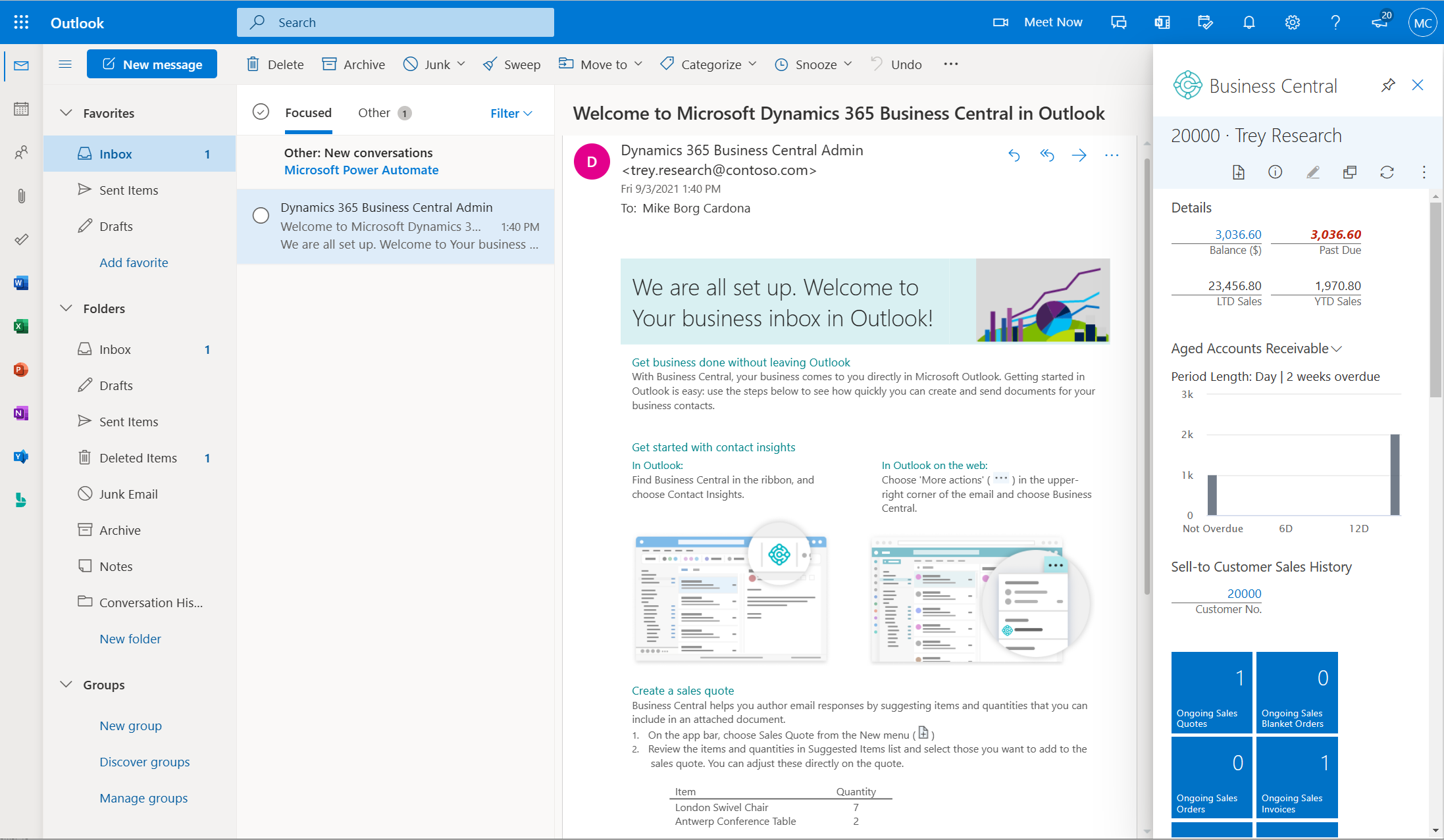
Microsoft Dynamics 365 Business Central 2026 Wave 2: New Features, Smarter Workflows and Upgrade Planning
Microsoft Dynamics 365 Business Central 2026 Release Wave 2 builds on the automation, connected commerce and operational capabilities developed during Wave 1. Version 29.0 brings further changes across financial reporting, Copilot and agents, manufacturing, warehouse processes and everyday usability.
For Australian organisations, the opportunity is to assess how these developments fit existing processes and priorities. The highlights below distinguish enhancements to established capabilities from newer functionality, helping your team plan a practical review with Cloud Factory.
Release status — September 2026: Version 29.0 is currently a public preview for Business Central online sandbox environments. General availability is planned for October 2026. Preview functionality is subject to change and is not intended for production use.
Australian availability, licensing, installed applications and configuration should be confirmed for each capability, particularly Copilot and agents. Tax-related features require a separate assessment against Australian requirements.
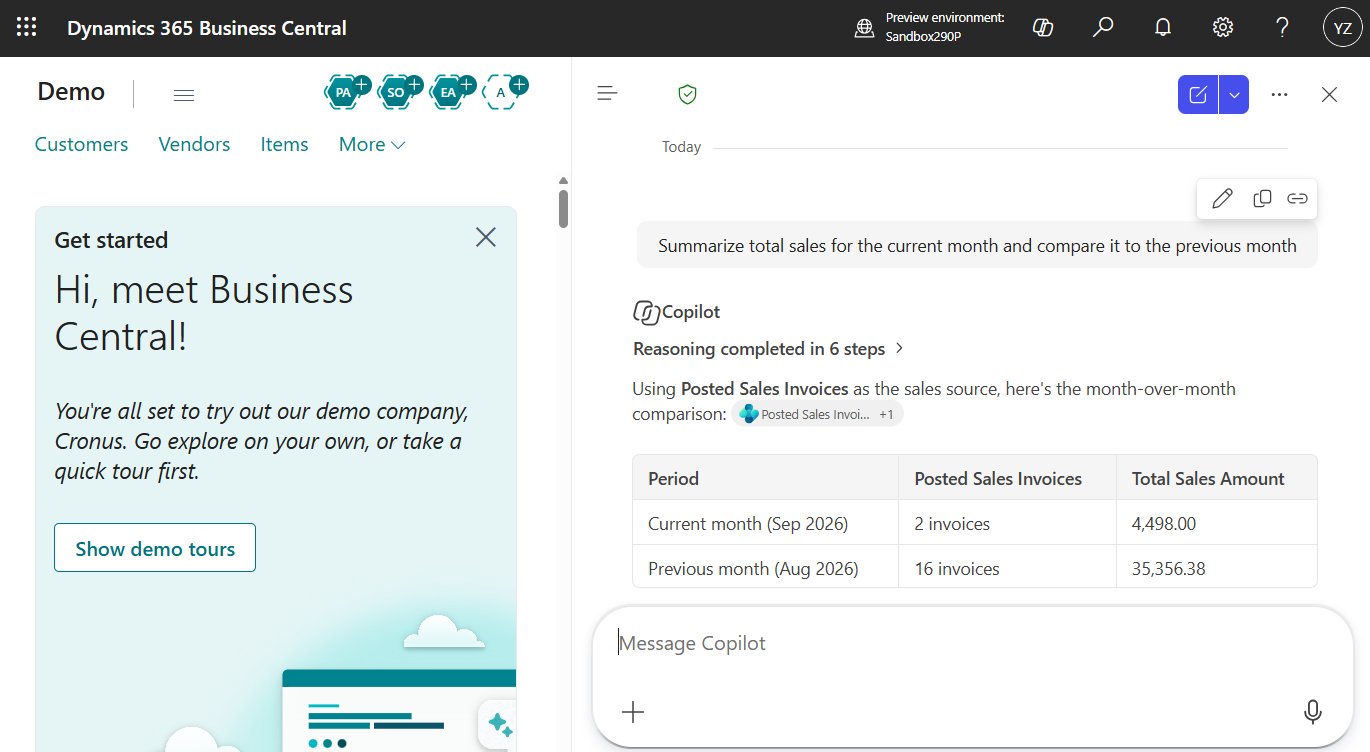
Unified Copilot experience
Consider where conversational assistance can support your team's everyday work.
- Bring Business Central data into a unified Copilot chat experience.
- Combine business information with web results and general knowledge.
- Review environment availability and any additional licensing benefits before rollout.
Payables Agent and invoice matching
Build on the accounts payable automation developed during Wave 1.
- Match purchase-order lines using amounts and expected receipt dates.
- Review warnings covering both quantity and amount discrepancies.
- Apply Receipt on Invoice controls at vendor, order and line level.
- These matching improvements began arriving in the August Wave 1 update.
Expense approvals and travel
Review the complete journey from travel requests to reimbursement.
- Request approval for trips involving one or multiple travellers.
- Add an interim reviewer before final expense approval.
- Check written expense policies with AI while retaining human approval.
- Detect duplicate claims, including previously posted expenses.
- Set mileage rates by effective date and vehicle type.
Financial report packs
Give management a more convenient way to receive periodic reporting.
- Combine multiple financial reports into a single PDF.
- Run a report pack immediately or schedule its delivery.
- Deliver packs through report inboxes or email.
Financial reporting controls
Make report maintenance part of your finance team's review process.
- Automatically log changes to financial report, row and column definitions.
- Trace how G/L accounts contribute to reports and calculations.
- Identify uncategorised accounts and preview definitions before publishing.
Document branding and layouts
Review whether your customer and supplier documents present a consistent identity.
- Reuse themes, headers and footers across document reports.
- Apply defaults at company, report or layout level.
- Use updated Word design controls and conditional visibility.
- Manage layout status to control end-user availability.
Analysis and report automation
Identify recurring reporting tasks that could benefit from a simpler workflow.
- Bookmark list views and analysis tabs in Role Centres.
- Include analysis views in profiles.
- Use system audit fields in analysis and profile pages.
- Automate report outputs using report-inbox APIs with Power Automate or MCP.
Fixed assets and self-billing
Assess these financial capabilities against your accounting policies and Australian requirements.
- Configure accelerated depreciation in depreciation books.
- Review accelerated amounts, linear equivalents and differences.
- Assign vendor-specific numbering to self-billed purchase invoices.
- Confirm local tax treatment before changing existing processes.
Manufacturing and production planning
Reduce the steps between an approved plan and production activity.
- Create released production orders directly from planning suggestions.
- Create and print released orders together.
- Calculate capacity calendars from work and machine centre cards.
- Open the relevant production BOM or routing from actionable errors.
Subcontracting workflows
Review how instructions and materials move between your team and external processors.
- Carry routing comments and supporting attachments into subcontracting purchase orders.
- Use assisted setup to organise subcontracting configuration.
- Open missing vendor or location setup from notifications.
- Support inventory picks and put-aways in basic warehouse configurations.
Inventory transfers and warehouse handling
Assess transfer routes individually when reviewing warehouse procedures.
- Use direct transfers from locations requiring outbound picks or shipments.
- Choose posting methods by transfer route.
- Support partial shipment posting with the Shipment and Receipt method.
- Check destination restrictions: inbound receipts and put-aways are not created.
Quality inspections and inventory disposition
Help inspectors focus on the exception that needs attention.
- Calculate passed or failed quantities when completing inspections.
- Choose whether to assign an unassigned inspection to yourself.
- Select destination bins when moving inspected inventory.
- Open the responsible inspection directly from a blocking error.
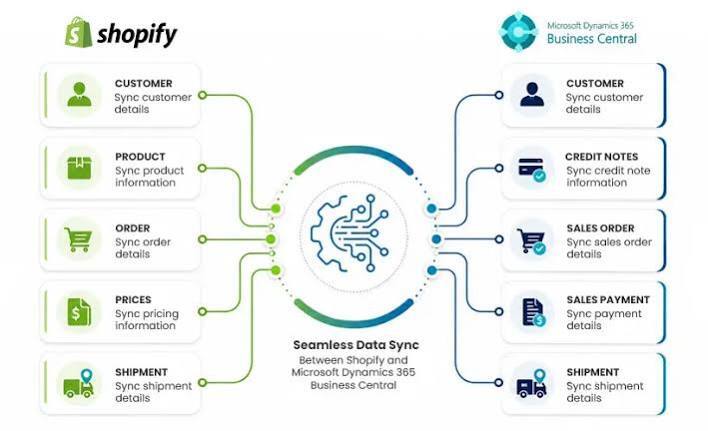
Shopify B2B commerce
Review trade ordering alongside your customer and pricing structures.
- Connect B2B companies and locations with Business Central customers.
- Manage catalogue pricing and reduce conflicting price synchronisation.
- Map company tax identifiers to relevant customer fields.
- Confirm Shopify plan requirements for company-specific catalogues and other capabilities.
Shopify orders and integration
Include exchanges and exceptions in your end-to-end commerce testing.
- Use Shopify order numbers on sales documents where numbering permits.
- Choose credit memos or sales return orders for imported refunds.
- Handle replacement items in exchange-related documents.
- Synchronise tariff numbers and countries of origin.
- Use the updated API, token handling and clearer synchronisation diagnostics.
E-Documents and electronic exchange
Build a practical document-exchange plan with your trading partners.
- Extend E-Documents to order exchange and remittance advice.
- Use Peppol BIS 3-based EDI capabilities.
- Assess document formats, service-provider support and partner compatibility.
- Validate Australian requirements for each proposed exchange.
Sustainability and emissions tracking
Choose the records your business needs before expanding emissions reporting.
- Extend tracking to service documents, fixed assets and inventory journals.
- Calculate purchasing emissions using formulas and emission factors.
- Track specific emissions for serial- or lot-tracked items.
- Reverse sustainability journal entries through the sustainability ledger.
Everyday usability
Use team feedback to identify the small changes worth including in training.
- Preview image attachments inside the web client.
- Revisit recent searches in Tell Me.
- Use recently accessed records as lookup suggestions.
- Bookmark frequently used views for easier navigation.
Platform performance and extensions
Include your customisations in the upgrade assessment, alongside standard processes.
- A revised table-extension data model targets faster database operations.
- Developer improvements support automated testing and clearer diagnostics.
- AI-assisted tools help investigate recorded failures and slow sessions.
- MCP query tools extend access to data without an existing API.
Administration and agent oversight
Agree who will monitor automation and respond when intervention is needed.
- Record Open in Excel activity through telemetry.
- Manage SIFT indexes from the application.
- Use agent review notifications to find documents needing attention.
- Manage additional permissions requested by agents.
Prepare for Wave 2 with Cloud Factory
Turn the release into a focused improvement programme for your Australian business.
- Prioritise opportunities with finance, operations and customer-facing teams.
- Confirm Australian feature availability, licences and required applications.
- Test extensions, integrations and critical transactions in a sandbox.
- Review reporting, permissions and AI governance with process owners.
- Plan training and production deployment around your business calendar.
Speak with your Cloud Factory team to scope your Wave 2 review.
This overview focuses on capabilities relevant to Australian businesses and excludes unrelated country-specific localisations. Based on Microsoft's Version 29.0 preview overview and feature details, reviewed 17 September 2026.