
MYOB Acumatica Analytics and Reporting
Gain real-time insights across your organisation with reporting tools designed to support faster, more informed decision-making. Create customised dashboards, analyse trends and access accurate data across finance and operations.
- Single source of truth across your business
- Multi-dimensional reporting and analysis
- Role-based security and access control
- Custom dashboards and personalised reports
- Flexible visualisations and display options
Visualise & Analyse Business Data with MYOB Acumatica
Effective reporting is more than generating static reports — it requires real-time visibility across financial and operational data. MYOB Acumatica provides a centralised platform where data from across your business is connected, enabling accurate, consistent and timely insights.
With built-in analytics, dashboards and reporting tools, organisations can monitor performance, analyse trends and make informed decisions without relying on spreadsheets or disconnected systems. Each user can access personalised, role-based views of the data most relevant to them, while maintaining security and control across the organisation.
Key capabilities include:
- Real-time dashboards across finance and operations
- Drill-down reporting from summary to transaction level
- Role-based access and data security
- Custom reports tailored to business requirements
- Integration across inventory, projects and financials
Unlock Business Insights with MYOB Acumatica
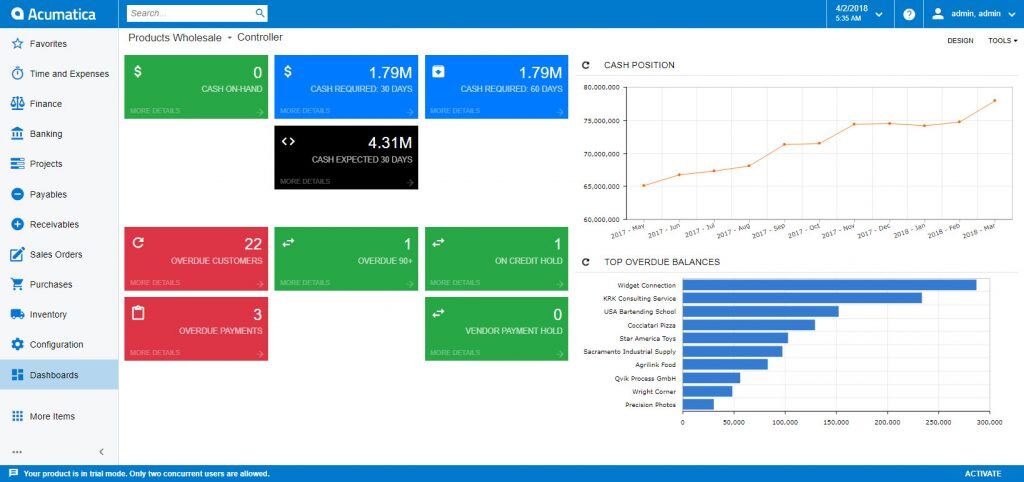
Modern businesses need more than reports — they need timely, actionable insights. MYOB Acumatica enables organisations to move beyond static reporting by delivering real-time dashboards, flexible analytics and meaningful performance indicators that support better decision-making across every function.
- Visualise data using dashboards, charts and interactive reports
- Gain real-time insights with live, continuously updated data
- Drill down from summary dashboards to detailed transactions
- Track performance with configurable KPIs and business metrics
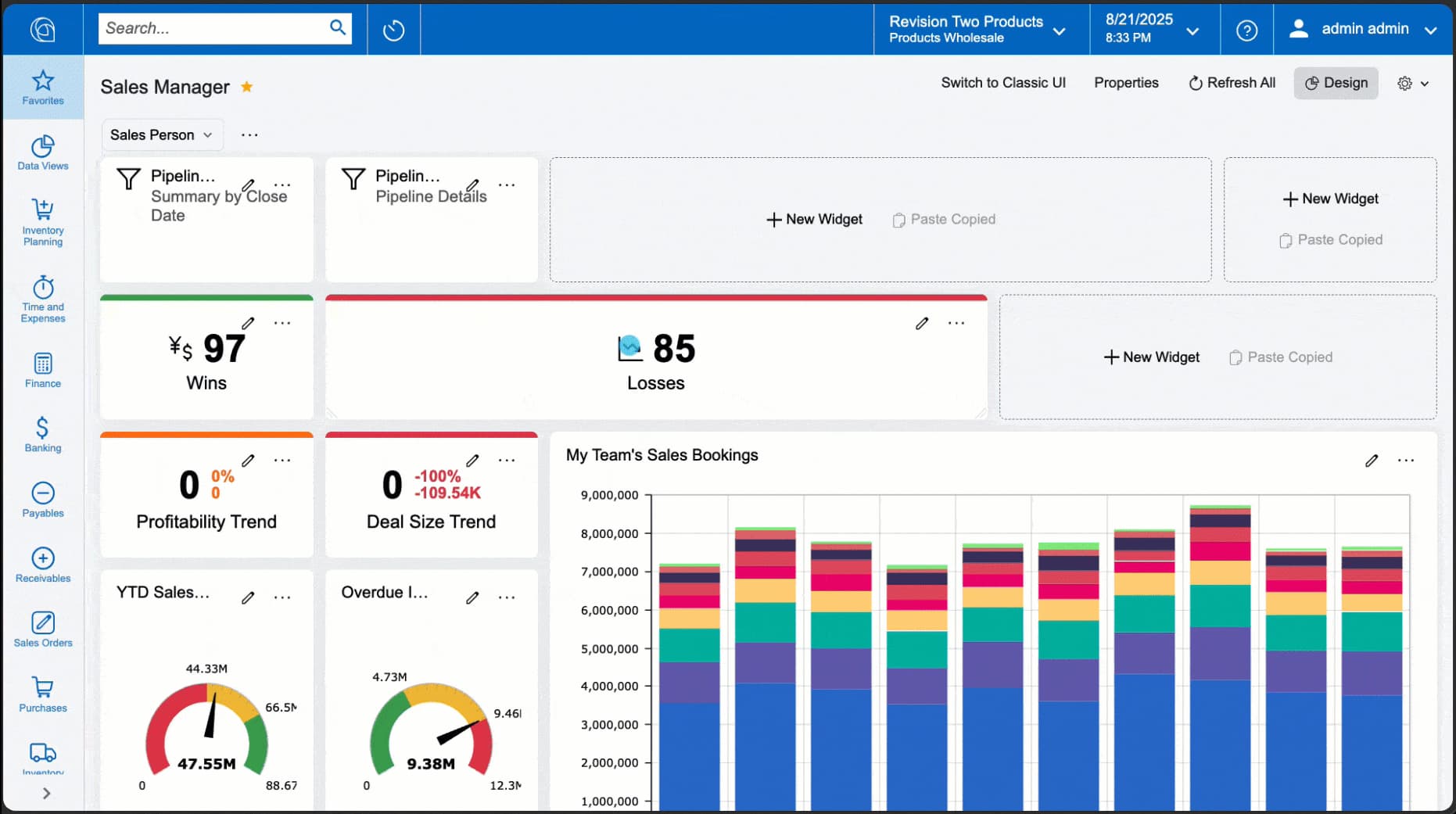
- Create custom dashboards without complex development
- Generate and share reports in Excel, PDF, Word and web formats
- Automate report delivery and distribution across your organisation
Enhance Your Business Reporting with MYOB Acumatica
PERSONALISED REPORTING EXPERIENCES
MULTI-DIMENSIONAL REPORTING
ROLE-BASED REPORTING
ANALYTICAL REPORT MANAGER
MYOB Acumatica's Analytical Report Manager (ARM) improves performance with easy maintenance for free-form report creation utilising rows, columns, and units.
CREATE CUSTOM REPORTS
- Branding: Customise reports with your branding and images, including full control over fonts and placement of information.
- Templates: Easily create report templates by saving report parameters as a template and populating reports with the template's parameters.
- Ad Hoc Filters: Apply ad hoc filters to entry forms and report forms to display only the data you need at that moment.
- Multi-Dimensional Reporting: Use subaccounts with segmented keys to break-down information into smaller facets to view items by price, color, size, store location or any number of dimensions that you select.
- Business Report Designer: Create visually-compelling reports, including sales reports, check forms, invoices and more. Easily design new reports or customise predefined reports with MYOB Acumatica Business Reports Designer.
- Combined Reports: Create multiple reports and merge them into a single package before sending them as an HTML or PDF file.
- Scheduled Reports: Schedule report generation with delivery email delivery options.
- Signed PDF Documents: Generate signed PDF documents via the report engine.
- Create Reports and Dashboards from Generic Inquiries: Use Generic Inquiries to access data contained in MYOB Acumatica and make it available for reports, dashboards, Excel files or OData.
- Secure Data Access: Reports, Generic Inquiries and Dashboards incorporate defined user security policies to protect access to sensitive data.
- Pivot Tables: Create multiple pivot tables for each Generic Inquiry. You can use pivot tables to reorganise and summarise data in a Generic Inquiry and view it from different perspectives.
- Microsoft Excel Export: Export a Generic Inquiry to MS Excel and place parameters on a separate Excel sheet. The result is an Excel file with a data sheet containing the Generic Inquiry data and a parameters sheet containing the parameters used prior to export.
- Reusable Filters: Leverage reusable filters to create and apply complex filters and save them for future use.
- Flexible Viewing: Toggle between parameters and views without losing changes made on the parameters view.
- Generic Inquiry Side Panels: Add a side panel to Generic Inquiries to show the details of specific records in an inquiry all on the same screen. Side panels can be resized, maximised, or minimised.
- Email from Generic Inquiries: Easily send targeted communication to customers, vendors, prospects, employees or other contacts through filtered Generic Inquiry results.
- Financial Reporting: Use the Analytical Report Manager to build analytical reports that retrieve amounts posted to particular general ledger accounts and subaccounts. You can configure reports to display data for a company, company group or branches of a company. Specify multiple, non-continuous ranges in the data source for accounts, subaccounts and branches in the general ledger engine.
- Display Totals: Request Generic Inquiries display total values, including average, max, min and sum.
- Microsoft Power BI: Leverage MYOB Acumatica’s integrated business intelligence tools, such as Microsoft Power BI, to aggregate data from multiple sources, extract actionable information for strategic and tactical decisionmaking and present it visually to stakeholders.
- Interactive, Real-Time Dashboards: Use role-based dashboards to visualise data from multiple sources. Dashboard content is dynamically generated for realtime results with drilldowns to view detailed transactions.
- Mobile Access: Conveniently access dashboards, reports and Generic Inquiries from secure mobile devices.
- Business Events: Use business events to trigger email alerts, SMS text notifications or tasks when conditions occur in the database that require user intervention or to keep teammates updated.
Book a Complimentary ERP Assessment
Book a complimentary ERP assessment with Cloud Factory to review your current systems, identify operational gaps and determine the right solution to support your business growth.