
SAP Business One
SAP Business One - Financial Year-end Activities
Prepare for 30 June with a structured, accurate and audit-ready financial close.
Download the step-by-step guide and ensure your finance team is ready—whether it’s your first year-end or you’re refining your process.

Year-End Closing in SAP Business One (Australia)
Plan, prepare and close your financial year with confidence
For Australian businesses approaching 30 June year-end, a structured and accurate closing process is critical. SAP Business One provides the tools—but knowing what to check, when to act, and how to avoid errors is where most organisations need guidance.
This page gives you a practical overview—and access to a detailed step-by-step guide.
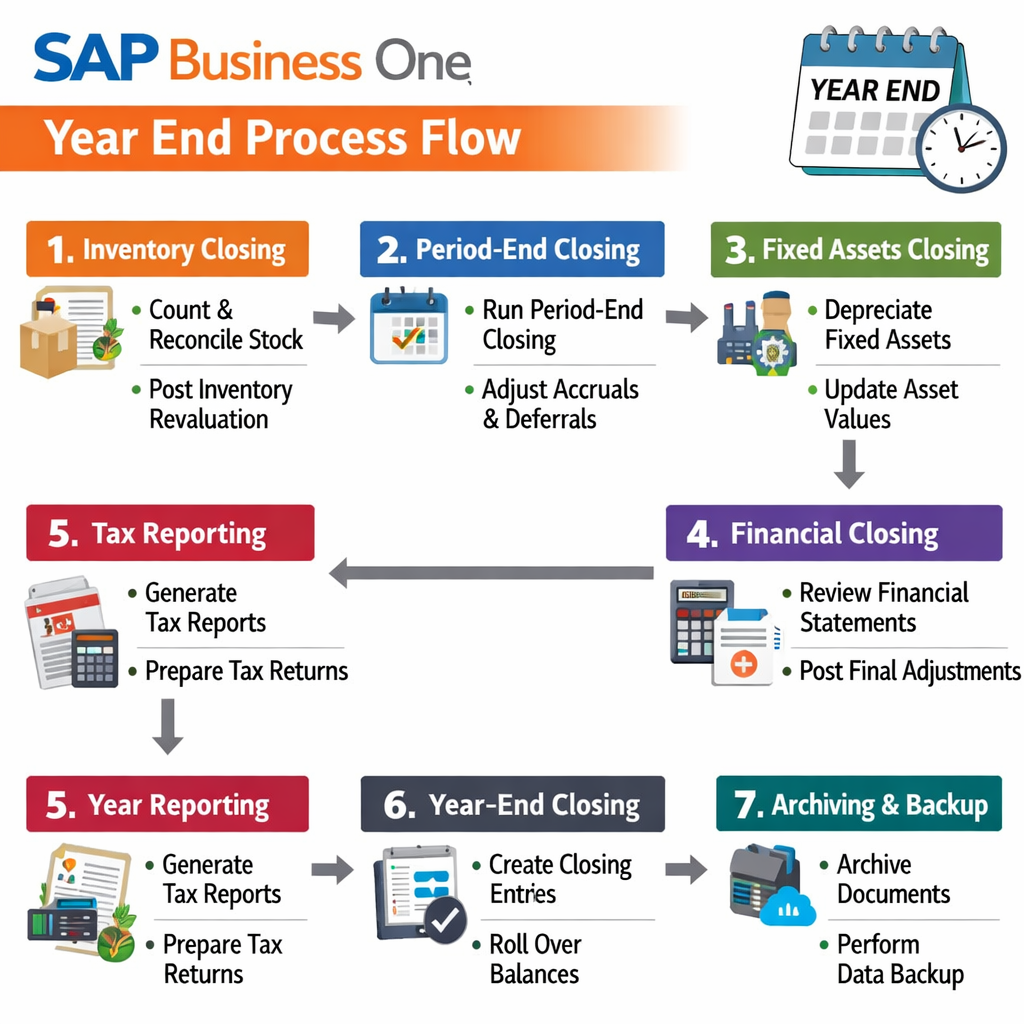
Agenda
1. Preparation & Data Integrity
Before closing the year, ensure your system is clean and complete:
- All transactions posted (no drafts or missing documents)
- No negative inventory positions
- Bank statements and payment runs fully processed
- Document numbering and audit trails verified
- Database backup taken at cut-off point
Tip: This is where most issues arise—small gaps here create major reconciliation problems later.
2. Inventory & Operational Accuracy
Inventory must reflect reality at 30 June:
- Perform full stocktake (with transaction freeze if required)
- Post inventory differences correctly
- Validate production orders and WIP positions
- Ensure valuation methods are consistent (FIFO, Moving Average, etc.)
3. Financial Reconciliation
This is the core of financial accuracy:
Reconcile:
- Customer & supplier balances
- Bank and cash accounts
- Inventory accounts vs G/L
- Clearing and allocation accounts
- Run Trial Balance and Aging reports
- Validate that all control accounts balance correctly
4. Adjustments, Reporting & Close
Finalise compliance and reporting:
- Post accruals, provisions and depreciation
- Revalue foreign currency balances
Prepare:
- Profit & Loss
- Balance Sheet
- Tax reports (GST, withholding, etc.)
- Lock the period and create new financial year
Common Challenges We See
Even experienced teams run into issues such as:
- Unreconciled inventory vs G/L
- Draft transactions left in the system
- Incorrect handling of foreign currency revaluations
- Misaligned posting periods
- Lack of audit-ready documentation
Important: SAP itself notes that the year-end closing process is not fully automated and requires manual validation and accountant oversight.
New to Year-End or Have New Staff?
If this is your:
- First year using SAP Business One
- First year-end in your role
- Or you’ve had staff changes in finance
…it’s very easy to miss critical steps.
Book a Year-End Readiness Review
Cloud Factory can guide you through a structured year-end process tailored to your business.
We can help you:
- Validate your system readiness
- Identify risks before 30 June
- Support your finance team step-by-step
- Ensure compliance and audit confidence
Request Recording
Complete the form below to access the webinar recording.